Go South Pacific logoGo South Pacific
Local Payments

Pay in PNG Kina (PGK) — Local Payment Options

You have two ways to pay. Option 1 — Pay locally: use our bank transfer or QR options, then upload your receipt on your booking page or send your payment proof via WhatsApp. Option 2 — Pay securely online: open your booking and pay by credit/debit card through Stripe or with PayPal. The converter below checks the approximate USD → PGK equivalent before paying locally.

USD to PGK Converter

Equivalent in PGK

—

Exchange rate unavailable — confirm with our team.

For guidance only. Confirm the final Kina amount with our team and your bank before paying. This estimate does not change your booking price or payment currency.

Booking reference

Use the reference on your Go South Pacific booking. Include it in the payment narration and your WhatsApp payment proof message.

Local Payment Options

Select the method you are paying with to include it in your payment proof message.

Bank transfer

Bank Transfer — TISA Bank Business Account

Transfer from your bank to our TISA Bank business account.

Branch
Port Moresby
Account name
PAPUAmart.com Limited
Branch / BSB
068-001
SWIFT / BIC
TSLSPGPP
QR

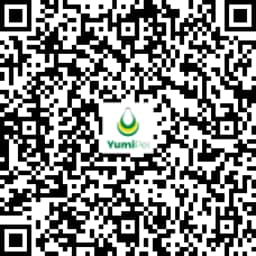
QR Code Payment — TISA Bank

Scan the QR code with your bank app to pay for your booking.

Branch
Port Moresby
Account name
PAPUAmart.com Limited
Branch / BSB
068-001
SWIFT / BIC
TSLSPGPP
TISA Bank payment QR code
Scan with your app to pay
QR

QR Code Payment — Wise

Scan with your Wise app and include your booking reference.

Wise payment QR code
Scan with your app to pay

How to Pay

  1. 1
    STEP 1

    Choose your flight or hotel on Go South Pacific and save your booking.

  2. 2
    STEP 2

    Check the Kina (PGK) equivalent above and confirm the final payment amount with our team.

  3. 3
    STEP 3

    Note your Go South Pacific booking reference and include it in your payment narration.

  4. 4
    STEP 4

    Pay via your chosen bank transfer or QR method, using your booking reference.

  5. 5
    STEP 5

    Keep your receipt or payment confirmation.

  6. 6
    STEP 6

    Upload the receipt on your booking page or send it via WhatsApp for staff verification and ticketing.

Paid locally? Send your payment proof

Send your receipt so we can verify your payment and process your booking. Your reference, approximate PGK amount and selected method are included below. Attach your receipt in WhatsApp after opening the message.

MESSAGE PREVIEW — WHAT WILL BE SENT

Hello, this is my payment proof for my Go South Pacific travel booking. I will attach my receipt for verification. Please confirm my payment and booking.

Local payments require staff verification. Card and PayPal payments are confirmed securely through your booking. Go South Pacific does not collect or store your card details.